Occasionally we need to update our infrastructure. Perhaps we want to deploy a unit to a new host that has more RAM. In this tutorial, we will move an etcd unit that was deployed directly onto a machine into a KVM container.
Juju does not provide a move-unit command. So how do we achieve this? We simply add the new unit, then remove the old one.
General pattern
The general pattern makes use of 3 commands:
- (optional)
add-machineto register the new host -
add-unitto deploy a new unit -
remove-unitto remove the original one
The add-machine command can be useful if we wish to specify constraints. It also allows us to directly create OS containers.
The three commands produce the desired effect of moving the unit. As Juju retains the knowledge of the application throughout. Applications deployed alongside the application that’s moving have their configuration updated. It’s possible for the unit count to shrink to 0 without affecting the ability for new units to reuse pre-existing relations.
Setting Up
To replicate this tutorial, add a model to your controller, then deploy the etcd charm.
juju add-model move-unit-tutorialjuju deploy etcd
“Moving” a unit into a container
The output from juju status shows that we hae a single unit of etc deployd to machine 0.
juju status
[...]

App                   Version  Status  Scale  Charm                 Store       Rev  OS      Notes
etcd                  3.2.10   active      1  etcd                  jujucharms  460  ubuntu

Unit                     Workload  Agent  Machine  Public address  Ports           Message
etcd/0*                  active    idle   0        10.48.131.228   2379/tcp        Healthy with 1 known peer

Machine  State    DNS            Inst id                               Series  AZ    Message
0        started  10.48.131.228  c3f265de-d65e-42e4-b5e3-d653dca8b4d4  bionic  nova  ACTIVE
We now execute the following 3 commands:
juju add-machine kvm:0
juju add-unit etcd --to 0/kvm/0
juju remove-unit etcd/0
After a few minutes, juju status reports that our new configuration is complete:
juju status
[...]
App                   Version  Status  Scale  Charm                 Store       Rev  OS      Notes
etcd                  3.2.10   active      1  etcd                  jujucharms  460  ubuntu

Unit                     Workload  Agent  Machine  Public address  Ports           Message
etcd/1*                  active    idle   0/kvm/0  192.168.122.78  2379/tcp        Healthy with 1 known peer

Machine  State    DNS             Inst id                               Series  AZ    Message
0        started  10.48.131.228   c3f265de-d65e-42e4-b5e3-d653dca8b4d4  bionic  nova  ACTIVE
0/kvm/0  started  192.168.122.78  juju-5ef651-0-kvm-0                   bionic        Container started
“Moving” a unit into a more powerful instance
We can apply the same strategy to migrate etcd unit onto an instance type with more RAM by applying a constraint when executing add-machine:
Adding a machine with a mem constraint
juju add-machine --constraints mem=8G   # Output: "created machine 3"
juju add-unit etcd --to 3
juju remove-unit etcd/1
Appendix: change etcd units underneath a running Kubernetes instance
To illustrate the power of Juju, try experimenting with this strategy for unit migration underneath a Kubernetes cluster. Perhaps experiment by removing all units of etcd and seeing how the system responds.
To do so, deploy kubernetes-core and then the relevant integrator charm for your cloud. Under an OpenStack cloud, here are the steps
juju deploy kubernetes-corejuju deploy openstack-integratorjuju trust openstack-integrator
Several integrator charms are available for other providers:
What is an integrator charm?: Integrator charm provides charms with delegated access to cloud APIs. Normally, only the Juju controller has delegated authorisation.
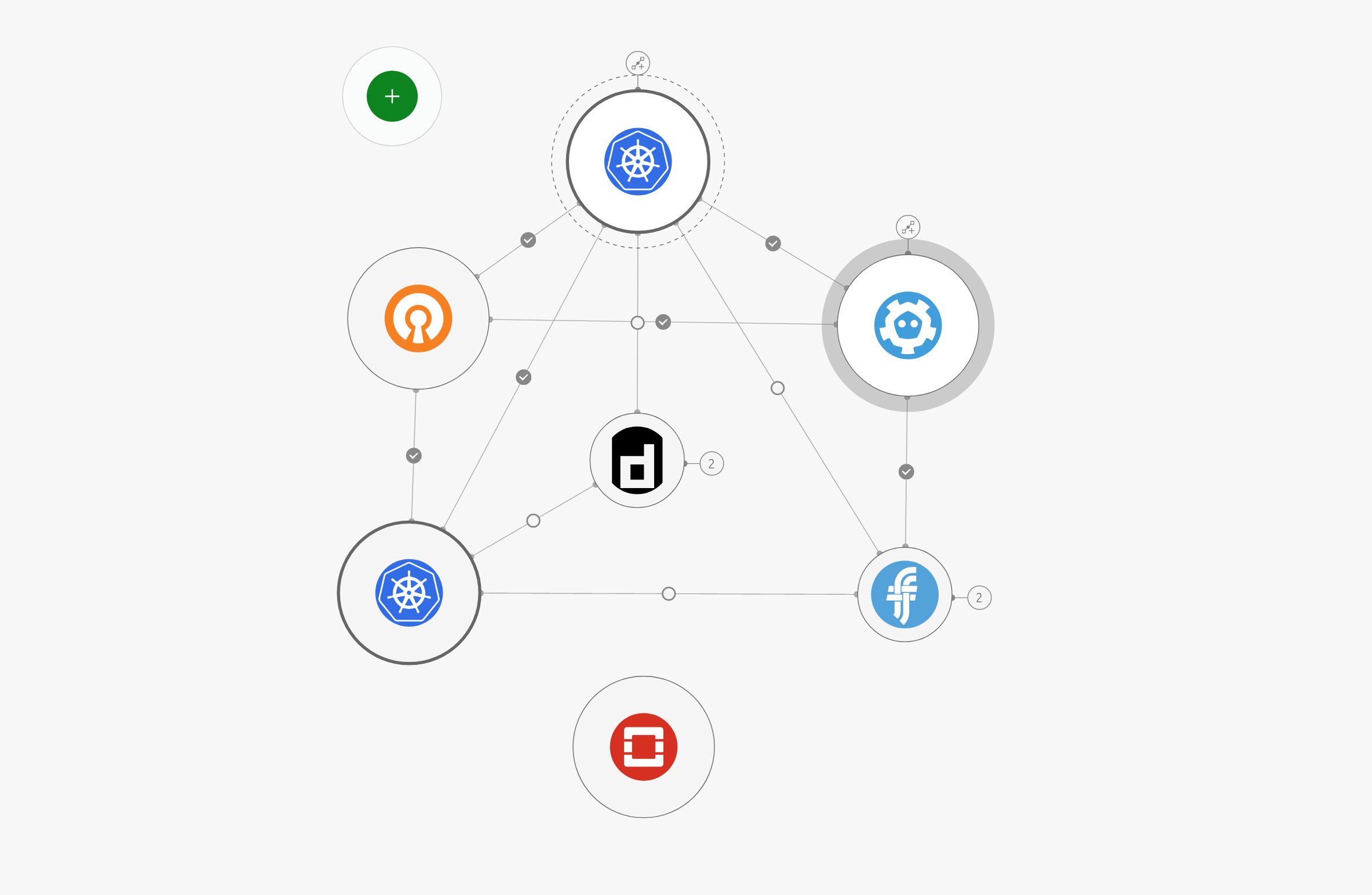
Figure 1: Model diagram produced by the Juju GUI showing the kubernetes-core bundle and openstack-integrator charms deployed
Warning: not supported by every charm
Handling changes like this correctly is the responsibility of the charm author. Some charms may not function correctly.